
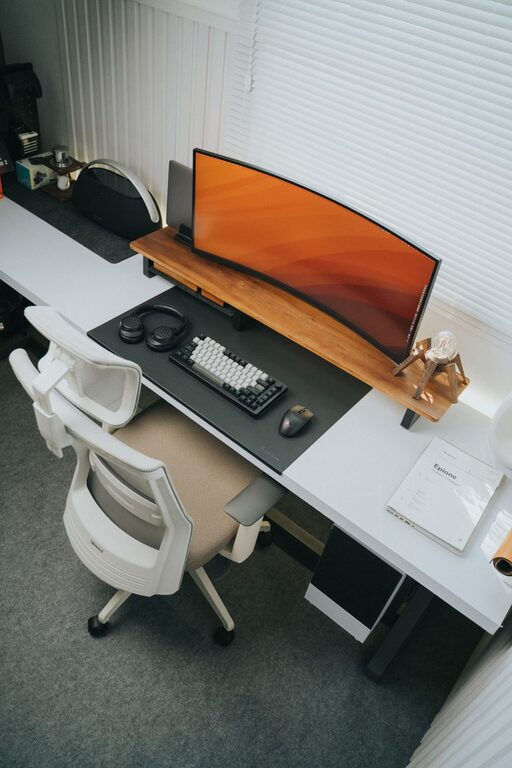
Creating a well-organized home workspace is essential for staying focused, productive, and comfortable while working from home. Whether you have a dedicated room or a small corner in your living area, applying simple organization strategies can transform your workspace into a tidy, inviting place to get things done. In this post, we will explore practical tips to organize your home workspace effectively, helping you maintain a clutter-free environment that supports your daily work routine.
Why Organize Your Home Workspace?
A cluttered workspace can lead to distractions, stress, and reduced productivity. When your desk and surroundings are tidy, it’s easier to focus on tasks and stay motivated. An organized area also makes it simple to find the tools and documents you need, saving time and preventing frustration.
Assess Your Current Workspace Setup
Before you start organizing, take a moment to assess your current setup. Ask yourself:
– What items do I use daily?
– What things am I keeping out of habit but rarely need?
– Is there enough storage close at hand?
– How comfortable is my seating and desk arrangement?
Understanding your habits and needs will help you make effective changes.
Tips for Organizing Your Home Workspace
1. Declutter Your Desk
Start by removing everything from your desk. Sort items into three categories: keep, relocate, and discard. Only keep essentials like your computer, notebook, or a few frequently used tools on your desktop. Put away or discard items that don’t serve a purpose during your work hours.
2. Use Storage Solutions Wisely
Invest in simple storage options to keep your workspace organized:
– Drawers and organizers: Use drawer dividers to separate pens, clips, and sticky notes.
– Shelving units: Keep books, binders, or reference materials within easy reach on shelves.
– Containers or trays: Small containers keep loose items tidy and visually neat.
Choose storage that fits your space without creating additional clutter.
3. Create Zones for Different Tasks
If your workspace allows, separate areas by activity. For example:
– A computer or writing zone for focused work.
– An area for reviewing papers or brainstorming.
– A spot for supplies storage.
Designating these zones helps your mind stay organized and gives each task its space.
4. Manage Cables and Electronics
Tangled cables add visual clutter and can be frustrating. Consider these cable management tips:
– Use cable clips or sleeves to group cords together.
– Label chargers and cables so you know which device they belong to.
– Position power strips and outlets for easy access.
This will reduce desk mess and prevent accidental unplugging.
5. Keep Essential Items Within Reach
Arrange frequently used tools, such as notebooks, pens, or your phone, within arm’s length. Store less commonly used materials a little further away. Having everything you need close by stops constant interruptions and keeps workflow smooth.
6. Personalize Without Overcrowding
Adding personal touches makes your workspace inviting but be careful not to overcrowd:
– Choose a plant for a bit of greenery.
– Display a photo or artwork that makes you happy.
– Select a lamp that adds warmth and good lighting.
A few thoughtful items can boost mood without distracting you.
7. Maintain Clean Surfaces
Make it a habit to clear your desk at the end of each day. Wipe down surfaces and put away any papers or tools left out. Starting the next day with a clean workspace can improve focus right away.
8. Optimize Lighting
Good lighting reduces eye strain and helps maintain energy throughout the day. Position your desk near a window if possible, and add a desk lamp for focused lighting during darker hours. A well-lit space feels more comfortable and welcoming.
9. Use a Planner or Task List
Keep a physical planner or digital task list on your desk to stay organized. Regularly update your to-do list, prioritize tasks, and cross off completed items. This reduces mental clutter and keeps your priorities clear.
10. Schedule Regular Organization Sessions
Finally, schedule short weekly or biweekly times to tidy and reorganize your workspace. This helps prevent clutter from building up and keeps your system working well.
Conclusion
Organizing your home workspace doesn’t have to be overwhelming. By decluttering, implementing storage solutions, managing cables, and personalizing your area thoughtfully, you create an environment that fosters productivity and comfort. A well-maintained workspace will support you in staying focused and motivated, day after day. Try these simple tips and enjoy a more organized, inspiring place to work at home.