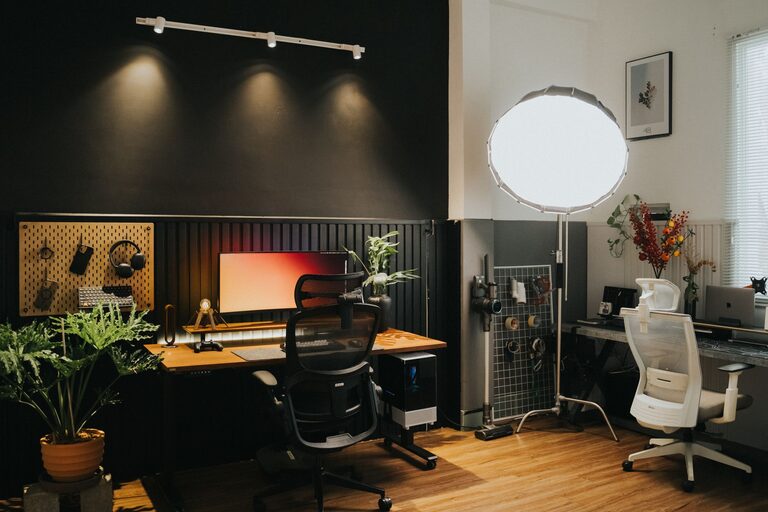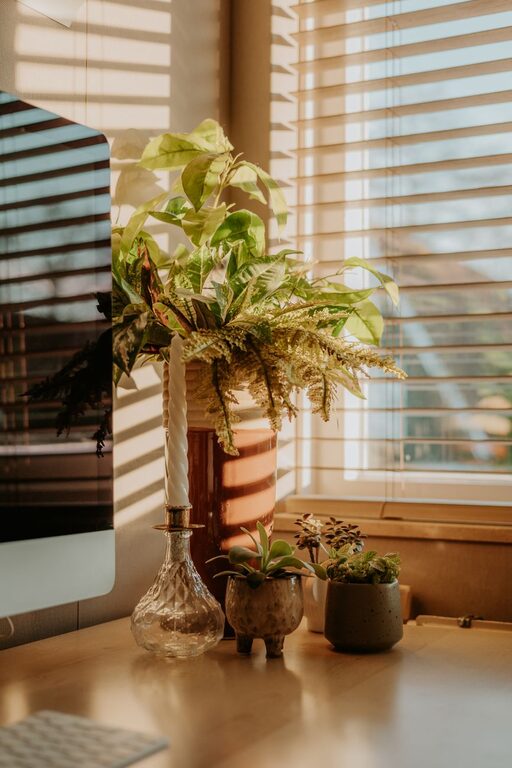
Creating a relaxing home workspace is key to staying productive and maintaining well-being while working remotely. When your environment feels calm and inviting, it can help reduce stress and improve your focus. Whether you have a dedicated office room or a small corner in your living space, there are many ways to design a workspace that supports both comfort and efficiency.
In this post, we’ll explore practical tips for setting up a home workspace that fosters relaxation and productivity.
Choose a Comfortable and Supportive Chair
Your chair is one of the most important elements in your workspace. Sitting for long hours requires proper support to avoid discomfort and fatigue.
– Invest in an ergonomic chair with adjustable height, lumbar support, and cushioned seating.
– Ensure your feet rest flat on the floor or on a footrest to maintain good posture.
– If a new chair isn’t an option, add cushions or back supports to improve comfort.
Utilize Natural Light
Natural light has a positive effect on mood and alertness. Aim to position your desk in a spot that receives plenty of daylight.
– Place your desk near a window if possible, but avoid direct glare on your screen.
– Use sheer curtains to diffuse harsh sunlight while keeping the room bright.
– If natural light is limited, invest in full-spectrum or daylight bulbs to mimic natural light indoors.
Keep Your Workspace Organized
Clutter can interfere with your focus and make the space feel chaotic.
– Use storage solutions like shelves, drawers, and organizers to keep supplies tidy.
– Declutter regularly to avoid accumulation of unnecessary items.
– Keep your desk clear except for essentials to maintain a serene workspace.
Add Personal but Calming Decor
Personal touches can make your workspace inviting without distracting from work.
– Choose soothing colors like soft blues, greens, or neutrals for walls and accessories.
– Incorporate plants, which add both color and improve air quality.
– Display inspiring but minimal artwork or photos that boost your mood.
Control Noise Levels
Noise can be one of the biggest distractions when working from home.
– Use noise-canceling headphones or play soft background music or white noise.
– Add rugs, curtains, and cushions to absorb sound and reduce echoes.
– Let family members or housemates know your work hours to minimize interruptions.
Maintain Good Air Quality
Fresh air helps you stay alert and comfortable.
– Open windows regularly to allow airflow.
– Use an air purifier if necessary, especially in rooms that don’t get much ventilation.
– Avoid strong scents or chemicals that can be overwhelming.
Set Up Your Technology Efficiently
Your gadgets should support your work, not cause frustration.
– Position your monitor at eye level to reduce neck strain.
– Keep cables neat with clips or covers to prevent tangling.
– Ensure your Wi-Fi signal is strong where you work, and have backup options if needed.
Create a Dedicated Work Zone
Separating your workspace from the rest of your living area can help your brain switch into work mode.
– Use room dividers, curtains, or furniture arrangement to define your work area.
– Avoid working from your bed or couch to maintain healthy boundaries.
Establish a Routine and Take Breaks
Even the best workspace can’t replace good habits.
– Start your workday at consistent times and maintain regular hours.
– Schedule short breaks to stretch, walk, or relax your eyes.
– Incorporate mindfulness or breathing exercises to reduce stress.
Final Thoughts
Designing a relaxing home workspace doesn’t require a complete makeover. Small changes like improving lighting, organizing efficiently, and choosing comfortable furniture can have a big impact on your productivity and well-being. Experiment with different setups until you find what feels right for you. Remember, the goal is to create a space where you feel focused, comfortable, and motivated to do your best work.